


 Back to
Topics
Back to
Topics



Author-Maria Thompson

Last updated-Jan 17, 2026
Getting simple IT support should not feel complicated. Yet many employees still spend too much time figuring out who to contact, what to request, and how to get basic services like software access, password resets, or new equipment. When the process is unclear, productivity slows down, and frustration grows. This is where an IT Service Catalogue makes a real difference.
It brings structure to IT services by presenting them in a clear, easy-to-navigate format. Users can quickly see what is available, how to request it, and what to expect. In this blog, you will learn what an IT Service Catalogue is, why it matters, how it works, and how to design one that users find genuinely useful.
What is an IT Service Catalogue?
An IT Service Catalogue is a centralised, well-organised, and user-friendly list of all IT services an organisation provides. It acts like a storefront where users can easily find, understand, and request services such as software access, hardware support, or troubleshooting.
The catalogue presents IT services in clear business language, with defined costs, delivery steps, and service levels. This improves transparency and efficiency and helps align IT with business needs in everyday business operations.

Key Features of an IT Service Catalogue
A well-designed IT Service Catalogue includes features that improve usability, control, and efficiency. Key features include the following:
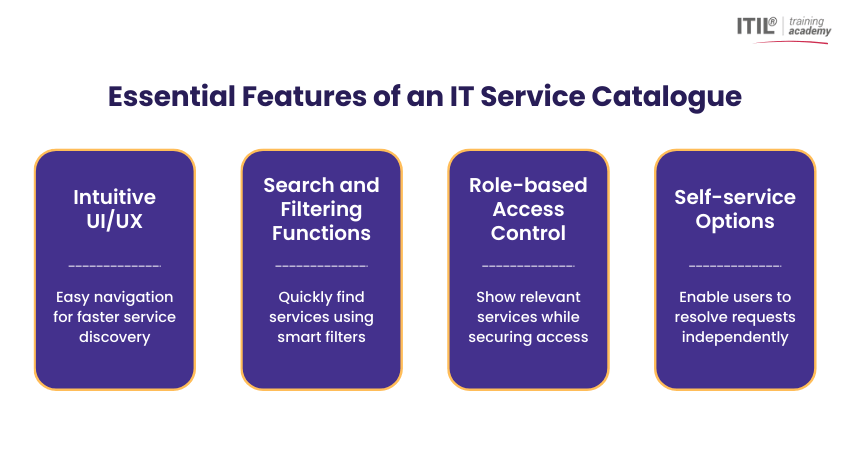
Intuitive UI/UX
An intuitive UI or UX makes the IT Service Catalogue easy to navigate for all users. Clear layouts, structured categories, and simple workflows help users find and request services quickly without training or confusion.
Search and Filtering Functions
Search and filtering functions allow users to locate services quickly using keywords, categories, or departments. These features reduce browsing time, improve discoverability, and help users access the right service efficiently.
Role-based Access Control
Role-based access control ensures users only see services relevant to their role or department. This reduces clutter, improves security, and prevents unauthorised access to sensitive or restricted IT services.
Self-service Options
Self-service options enable users to request services and resolve common issues independently. Automated workflows speed up delivery, reduce IT workload, and improve productivity across the organisation.
Benefits of an IT Service Catalogue
An IT Service Catalogue improves collaboration between IT and business teams by clearly defining services. This supports better planning, faster decisions, smoother workflows, and ongoing service improvement. Here are the key benefits:
1) Improved Collaboration: Promotes better coordination between IT and business teams, supporting strategic decisions and smoother workflows.
2) Streamlined Communication: Reduces repeated interactions by clearly defining services, request steps, and responsibilities.
3) Optimised Costs: Helps IT teams analyse demand and usage to allocate resources more effectively to critical services.
4) Service Standardisation: Provides clear and consistent workflows for each service, improving efficiency and reliability.
5) User Empowerment: Enables self-service by helping users request services and resolve common issues independently.
6) Continual Service Improvement:
Supports ongoing optimisation through service tracking, reporting, and performance analysis.
Components of IT Service Catalogue
An effective IT Service Catalogue is built around help desk services and clear self-service options. When aligned with ITIL 4 best practices, it becomes easier to understand, request, and manage services. The following components form its core foundation:
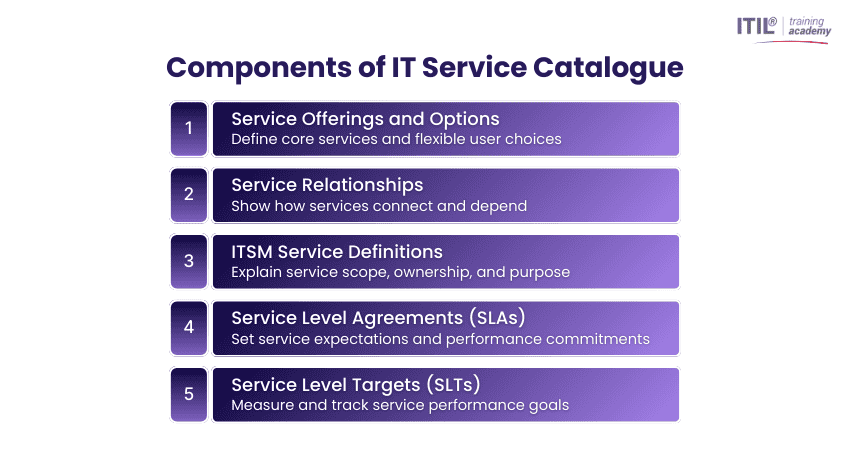
1) Service Offerings and Options
Service offerings are the core IT services an organisation provides, such as software access, hardware requests, account management, or technical support. In an IT Service Catalogue, they present users with clear and structured service choices.
Service options are customised versions of these offerings based on user needs. For example, a software request may include standard or advanced access, balancing flexibility with standardised service delivery.
2) Service Relationships
IT services rarely work in isolation. Many services are connected or dependent on one another. For instance, a password reset may require users to log out of all devices or complete additional security steps.
Service relationships in an IT Service Catalogue make these connections clear. By mapping how services interact, IT teams can manage requests more effectively, and users gain a better understanding of what to expect during service delivery.
3) ITSM Service Definitions
Information Technology Service Management (ITSM) service definitions explain what each service includes, how it supports business goals, and who delivers it. They align IT services with organisational priorities and ensure consistent service delivery.
Within an IT Service Catalogue, well-defined services make it easier for users to find the right support, whether through self-service or direct IT assistance. Clear definitions also support better collaboration and decision-making between IT and business teams.
4) Service Level Agreements (SLAs)
Service Level Agreements define the expected level of service between an organisation and its IT provider, whether internal or external. SLAs typically outline response times, resolution times, and service availability.
Including SLAs in an IT Service Catalogue helps set clear expectations for users and provides a framework for measuring service performance. This transparency builds trust and accountability across the organisation.
5) Service Level Targets (SLTs)
Service Level Targets are specific, measurable goals that support SLAs and guide service performance. They focus on performance metrics such as how quickly a service should respond or be resolved.
By tracking SLTs, IT teams can monitor service quality and identify areas for improvement. SLTs play a key role in maintaining consistent service standards and supporting continuous service improvement.
Boost your career by learning expert service desk practices through
ITIL® 4 Practitioner: Service Desk Training
– Join now!
How to Create an IT Service Catalogue?
Creating an IT Service Catalogue requires careful planning, collaboration, and ongoing improvement. The following steps provide a clear and practical approach:
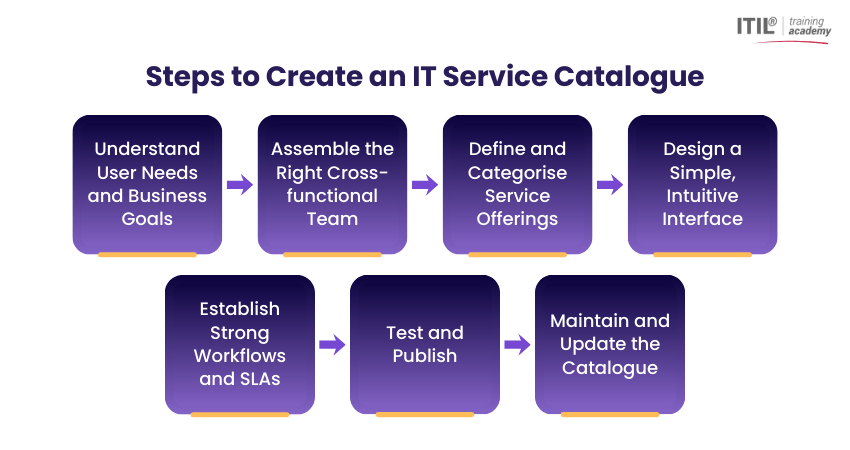
Step 1: Understand User Needs and Business Goals
Begin by identifying what users need from IT services and how those services support business objectives. Use surveys, feedback sessions, or support data to understand common requests, challenges, and expectations.
By addressing user pain points while keeping business goals in focus, you can design a catalogue that is both practical and strategically aligned. This step sets the foundation for a user-centric and value-driven catalogue.
Step 2: Assemble the Right Cross-functional Team
An IT Service Catalogue should not be built by IT alone. Assemble a cross-functional team that includes members with expertise in areas such as infrastructure, applications, security, and service management.
Assign clear roles, permissions, and service ownership. This collaboration ensures services are accurately defined, approvals are clear, and the catalogue remains consistent across all service categories.
Step 3: Define and Categorise Service Offerings
Create a complete inventory of IT services, clearly describing each service, its target users, and the outcomes it delivers. Remove outdated or informal services from the catalogue to maintain clarity.
Group services into logical categories such as access requests, collaboration tools, or hardware support. You may also create service bundles for common needs, such as new employee onboarding, to simplify the user experience.
Step 4: Design a Simple, Intuitive Interface
A clean and intuitive interface is important for catalogue adoption. Focus on simple navigation, minimal clicks, and clear service descriptions. This helps users find and request services quickly without confusion.
Use visual elements such as icons, cards, and action buttons to guide users. Ensure the design works smoothly across different devices so users can access services easily, whether on desktop or mobile.
Step 5: Establish Strong Workflows and SLAs
Define clear workflows for each service, including approvals, fulfilment steps, and escalation paths. These workflows ensure requests are processed efficiently and consistently across the organisation.
Incorporate Service Level Agreements within service descriptions to set clear expectations for response and resolution times. This promotes transparency and accountability across IT services.
Step 6: Test and Publish
Before launching the catalogue, test it with a different group of users from different departments and roles. Gather feedback on usability, clarity, and accuracy to identify areas for improvement before final release.
Once refined, publish the catalogue and communicate its availability across the organisation through clear internal channels. A phased rollout can help ensure a smooth launch and better user adoption over time.
Step 7: Maintain and Update the Catalogue
After launch, regularly review and update the IT Service Catalogue to reflect changes in services, technology, and business needs. This helps ensure the catalogue remains aligned with organisational priorities and user expectations.
To support this ongoing alignment, track usage, performance, and user feedback to identify improvement areas and optimise service delivery continuously. Ongoing maintenance keeps the catalogue relevant, accurate, and user-focused over time.
Learn how to handle IT requests better with
ITIL® 4 Practitioner: Service Request Management Certification
- Register today!
Challenges with IT Service Catalogues
An IT Service Catalogue delivers strong value but can face challenges in maintaining effectiveness. These often stem from design complexity, process gaps, or poor system integration. Key challenges include:
1) Poor User Adoption: Complex layouts or a lack of training can discourage users, causing them to revert to emails or informal requests.
2) Outdated Service Information: Failure to regularly update services leads to inaccurate data, confusion, and wasted effort.
3) Complex Catalogue Structure: Too many categories or deep navigation make it difficult for users to find the right services.
4) Inefficient Request Workflows: Manual steps, unclear approvals, or poorly defined processes slow down service delivery.
5) Integration Challenges: Difficulty integrating the catalogue with existing ITSM tools can result in inconsistent data and fragmented processes.
6) Unclear Ownership and Governance:
Lack of defined responsibility leads to inconsistent updates and reduced catalogue reliability.
Boost your IT career by mastering service configuration with
ITIL® 4 Practitioner: Service Configuration Management Training
– Join now!
Best Practices for Designing an IT Service Catalogue
Designing an effective IT Service Catalogue focuses on usability, clarity, and business alignment. A well-structured catalogue improves adoption and simplifies service requests. Key best practices include:
1) Keep it User-friendly: Design simple, intuitive navigation with minimal clicks and responsive layouts so users can easily find and request services.
2) Categorise Services Logically: Group services by business function or user needs rather than IT silos to improve clarity and accessibility.
3) Use Clear, Jargon-free Language: Write service descriptions in plain language, focusing on what the service does for the user instead of technical details.
4) Align with Business Goals: Ensure services, workflows, and SLAs directly support organisational objectives and priorities.
5) Involve Key Stakeholders: Collaborate with IT teams and business users to define relevant, accurate, and well-structured services.
6) Define Ownership and Governance: Assign clear ownership for each service to maintain accuracy, accountability, and consistent updates.
7) Support Continuous Improvement:
Regularly collect feedback, review usage data, and update the catalogue to keep it effective and up to date.
Examples of IT Service Catalogues
IT Service Catalogues are used across industries to present IT services clearly. The following examples show how organisations use them to improve service delivery and user experience:
1) Microsoft Internal IT Service Catalogue
Microsoft uses an internal IT Service Catalogue for employees to request devices, Microsoft 365 access, VPN setup, and development tools. Services are role-based, automated, and aligned with internal policies to support a large global workforce.
2) IBM IT Service Catalogue
IBM provides an IT Service Catalogue for employees and clients that covers cloud services, infrastructure provisioning, application access, and support requests. The catalogue is aligned with ITIL practices and supports enterprise-level governance and reporting.
3) Retail and E-commerce Companies
Large retailers use IT Service Catalogues to support point-of-sale systems, inventory software access, and employee onboarding. They also use them to manage system issue reporting efficiently and consistently across multiple locations.
Conclusion
An IT Service Catalogue turns IT services into clear, easy-to-access solutions rather than complex processes. By improving visibility, simplifying requests, and supporting self-service, it helps organisations work smarter. When kept up to date and user-focused, the catalogue strengthens collaboration, boosts efficiency, and delivers real business value every day.
Transform your IT service strategy with ITIL® 4 Practice Manager (PM) Training and excel in practice leadership – Join now!
Frequently Asked Questions?
The Information Technology Infrastructure Library (ITIL) 4 Service Catalogue is a documented view of services available to users, aligned with service management for best practices. It focuses on value creation, transparency, and continual improvement.
The five stages of ITSM are:
1) Service Strategy
2) Service Design
3) Service Transition
4) Service Operation
5) Continual Service Improvement
A Service Catalogue lists active services available to users, while a service portfolio includes all services, including planned, active, and retired services. The portfolio is broader and more strategic, while the catalogue is user-facing.
Most Recent
Date - Jul 18, 2026
Date - Jul 11, 2026
Date - Jul 11, 2026